




Explore Calendar Plus

Customizable Dashboards
Drag and drop widgets like calendar, chores, spotify, and weather etc to customize your family dashboards. Create personalized dashboards and switch between them as you name it!

Powered by Android OS
You can easily access thousands of apps from the pre-installed Google Play app store on Cozyla Calendar Plus. Beyond being a family organizer, you can also use this device for homeschooling, streaming, controlling smart home devices and more. Android OS offer robust cross-platform syncing, and most apps look and behave almost the same on both Apple and Android system. If you are an Apple user you can effortlessly pick up Cozyla devices.
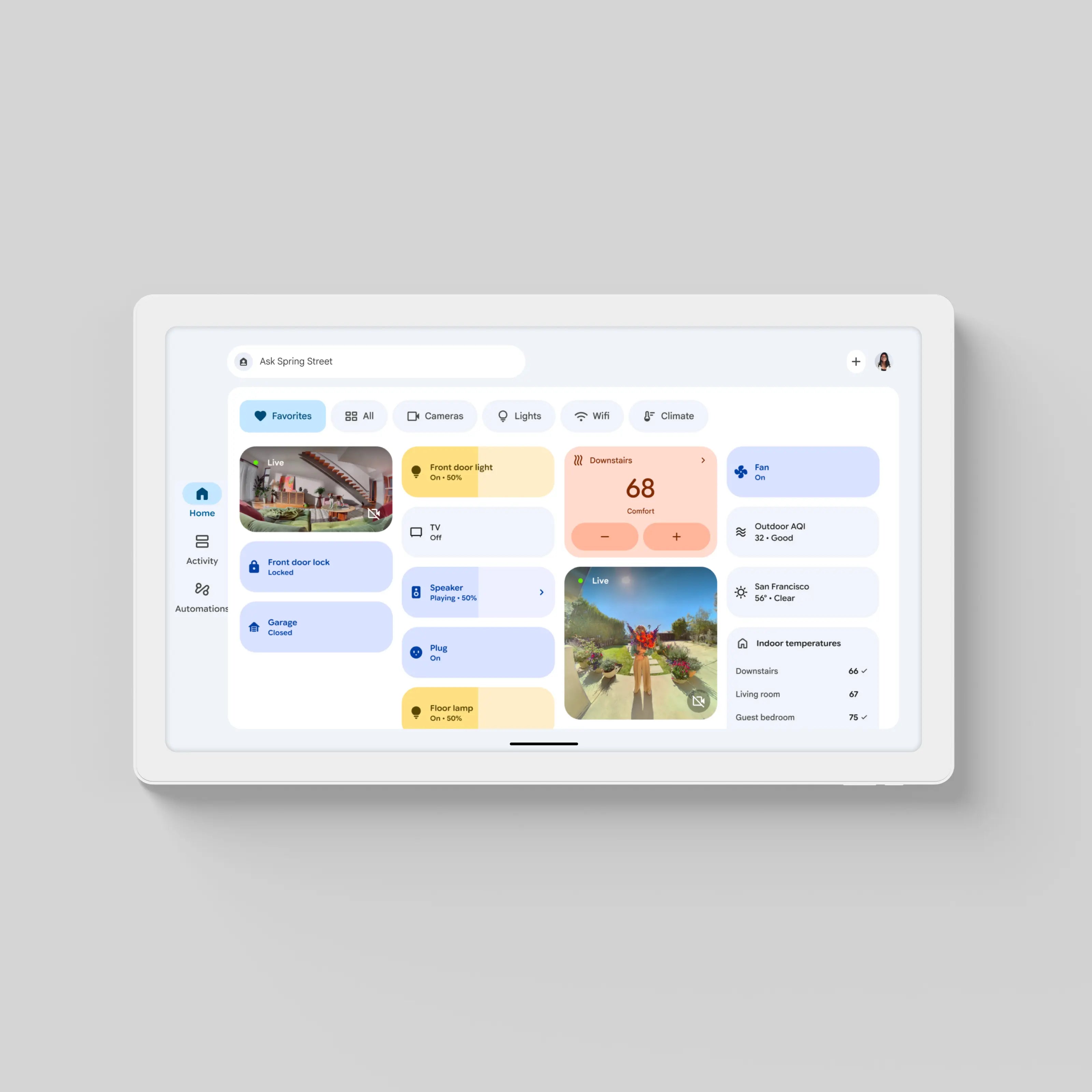
Smart Home Hub
Access Google Home and Alexa to control your existing smart home devices on Cozyla Calendar Plus. Simply say ‘Hey, Google’ to wake up the voice assistant hands-free.
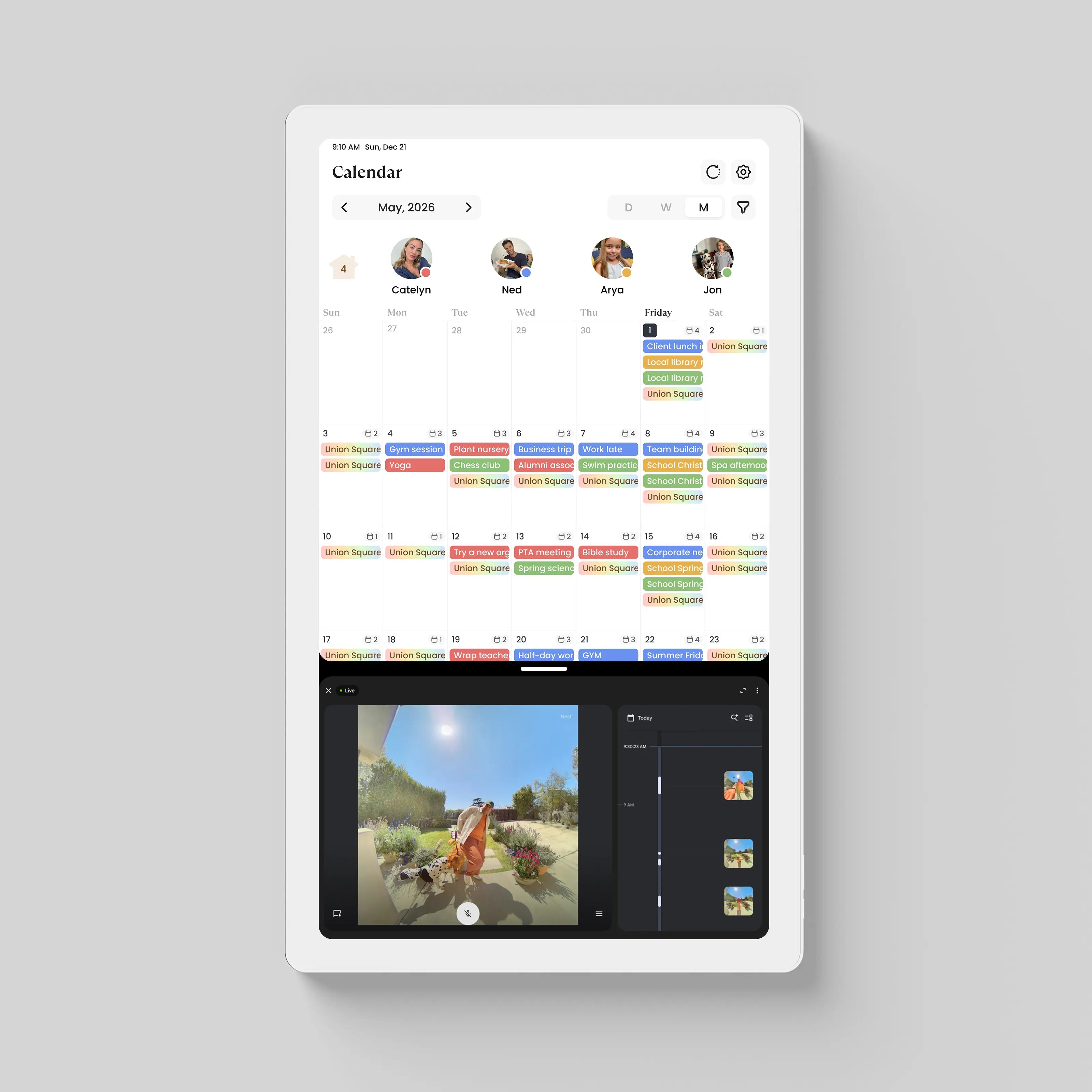
Split Screen
Split Screen mode lets you see the content of two apps at once, on the same screen. E.g. you can run a calendar app, and view a security camera simultaneously.
Loved by 47,000+ Families
Created by parents, used by real families, and trusted by the world's leading media — bringing harmony to homes worldwide.


5000+ 5-star reviews
FINALLY, A SMART DISPLAY THAT DOESN'T LIMIT YOU
Having full access to the App Store is a total game-changer! I downloaded ClassDojo for school updates, Spotify for kitchen cooking jams, and Spotify/YouTube for the kids. It’s so much more than a digital calendar—it's like having a giant, open tablet for the whole family.
OUR ULTIMATE CUSTOM FAMILY COMMAND CENTER
The customizable dashboard is amazing. I set up a view for my work tasks and stock widgets, while my wife has her Google Photos and meal plans on hers. Everyone gets their own tailored home screen. It has completely replaced our messy fridge sticky notes!
THE BEST DAILY WIDGETS AT A GLANCE
I love how I can mix and match widgets on one screen. Being able to see live weather, our synchronized Google Calendar, and my car status/home camera feed all on the same board saves me so much time in the morning. Truly simplified our daily routine!
A MUST-HAVE FOR BUSY PARENTS
We installed our Owlet baby monitor app and set up a custom chore reward widget for the kids. The kids love checking off their daily tasks on the screen! Plus, zero monthly subscriptions made this a no-brainer purchase for our household.
PERFECT BLEND OF FUNCTIONALITY AND FLEXIBILITY
The widget system is clean, intuitive, and highly functional. Whether I'm checking Trello board notes, streaming Disney+ for movie night, or checking our shared schedule, Cozyla Calendar Plus handles it all effortlessly. Hands down the best smart display we’ve owned.
FAQs
Does Cozyla Calendar Plus require a subscription?
Cozyla Calendar Plus is a one-time purchase with lifetime free essential plan. You get full access to all essential features, calendar sync, and app store out of the box with ongoing features update and improvement.
Can I use widgets on my home screen?
Yes! Cozyla Calendar Plus comes with interactive, modular widgets. You can place widgets for Live Weather, Family Calendar, Quick Notes, Music Playback, Security Camera, Stock Trends, and Chore Charts directly on your main dashboard for one-glance access.
Can different family members have their own customized dashboards?
Yes, you can fully customize layouts and widget arrangements. Whether Mom wants her meal planner and Google Photos, Dad wants stock updates and smart home control, or Kids need chores & reward trackers, everyone can enjoy a personalized page.
Can I control my smart home devices from the display?
Absolutely. By downloading smart home apps (like Nest, Alexa, and Google Home), you can view security cameras, control smart lights, and check baby monitors (Owlet/Nanit) directly from your Cozyla Calendar Plus.
Do I have to use a proprietary calendar instead of popular ones?
Cozyla integrates with Google Calendar, offering extensive support due to its widespread usage worldwide. Your other calendars, including Apple and Outlook, can also sync with Cozyla.
Does Cozyla support the Apple Calendar?
Yes, Cozyla offers a two-way sync solution, allowing you to view and edit your Apple calendar directly on Cozyla Calendar.
Can I do any other things rather than the calendar on Calendar Plus?
Yes! The Cozyla Calendar Plus functions similarly to an iPad, allowing you to download various apps and customize them to your preferences. Our goal is to create a digital smart display that serves as a central home hub. It’s designed to help you manage not just your calendar but also to seamlessly integrate and expand your exsisting services from your phone onto a larger display within your home.
How is Calendar Plus different from Calendar Neo?
Calendar Plus isn’t just a digital calendar. It’s a full smart display with App Store access and a tablet-like system. You’re free to use your favorite apps, customize your screen, and enjoy a experience similar to an iPad.
Calendar Neo is designed for families who want a simple, budget‑friendly option. It works as a straightforward digital calendar without extra entertainment features, perfect for those who prefer an easy, entry‑level display.